Dishwashers - Resume the wash after power outage
Issue
- Dishwasher has stopped due to power outage.
- Dishwasher no power,
Applies to
- Dishwasher
Solution
Resume the wash after power outage
When power is restored, the control panel lights up for 3 seconds while the dishwasher starts up. After start-up completes, the wash settings of where the cycle left off display on the control panel and status window. The red “power” message will display in the status window and the START LED blinks to indicate power was out. The control panel stays in this state until any button other than CANCEL is pressed. Pressing CANCEL will cancel the cycle.
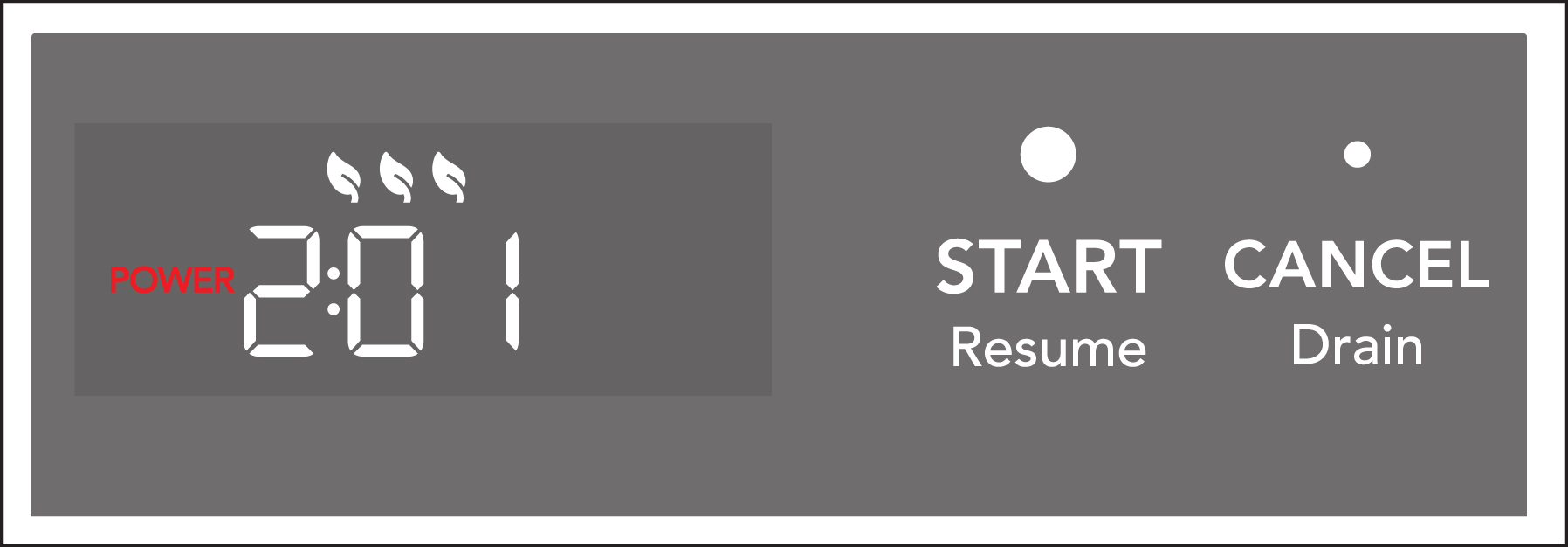
To resume a wash cycle after a power outage
- Open the door to show where the wash settings left off.
- Press START to resume the wash cycle.
- Touch any button except START or CANCEL to acknowledge a power alert without resuming a wash.
Was this article helpful?
Related Articles
- Dishwasher - Loading Guide
- What should I do if my dishwasher is not starting?
- What can I do if my dishwasher is not draining?
- Dishwasher - Noise Guide
- Dishwasher Error Codes and Alarms Guide
- Dishwasher Runs Too Long
- Dishwasher Glass Trap and Filter Guide
- Dishwasher - Drain Hose Guide
- Dishwashers Flashing Lights
- Dishwasher Error Code PF - Loss of Power
Related Articles
- Dishwasher - Loading Guide
- What should I do if my dishwasher is not starting?
- What can I do if my dishwasher is not draining?
- Dishwasher - Noise Guide
- Dishwasher Error Codes and Alarms Guide
- Dishwasher Runs Too Long
- Dishwasher Glass Trap and Filter Guide
- Dishwasher - Drain Hose Guide
- Dishwashers Flashing Lights
- Dishwasher Error Code PF - Loss of Power